Rahul
 LeetCode #155: Min Stack — Design a Stack with O(1) Minimum Retrieval
 LeetCode #20: Valid Parentheses — Master the Stack Pattern
 LeetCode #15: 3Sum — Master Sorting, Two Pointers and Duplicate Handling
 Instruction vs Context in AI Prompts: How to Tell AI What to Do and What Information to Use
 Rust Structs and Enums: Building Powerful Data Models
 Dissecting the High-Level System Architecture of Booking.com
 Kanban vs. Scrum: Which Agile Methodology to Choose?
 The Scaling Journey of LinkedIn: From Startup to Professional Powerhouse
 Mastering Code Review: A Guide for Reviewers and PR Creators
 ChatGPT: Unveiling the Power of AI in Conversational Experiences with Kairos Coders

Kairos Coders are here to help
You can build a website that works perfectly for 100 users.
But what happens when 100,000 users arrive at the same time?
What if millions of users start uploading images, sending messages, making payments, or watching videos?
What happens if your database becomes overloaded?
What if one server crashes?
What if users are located across different countries?
Writing code is only one part of building software.
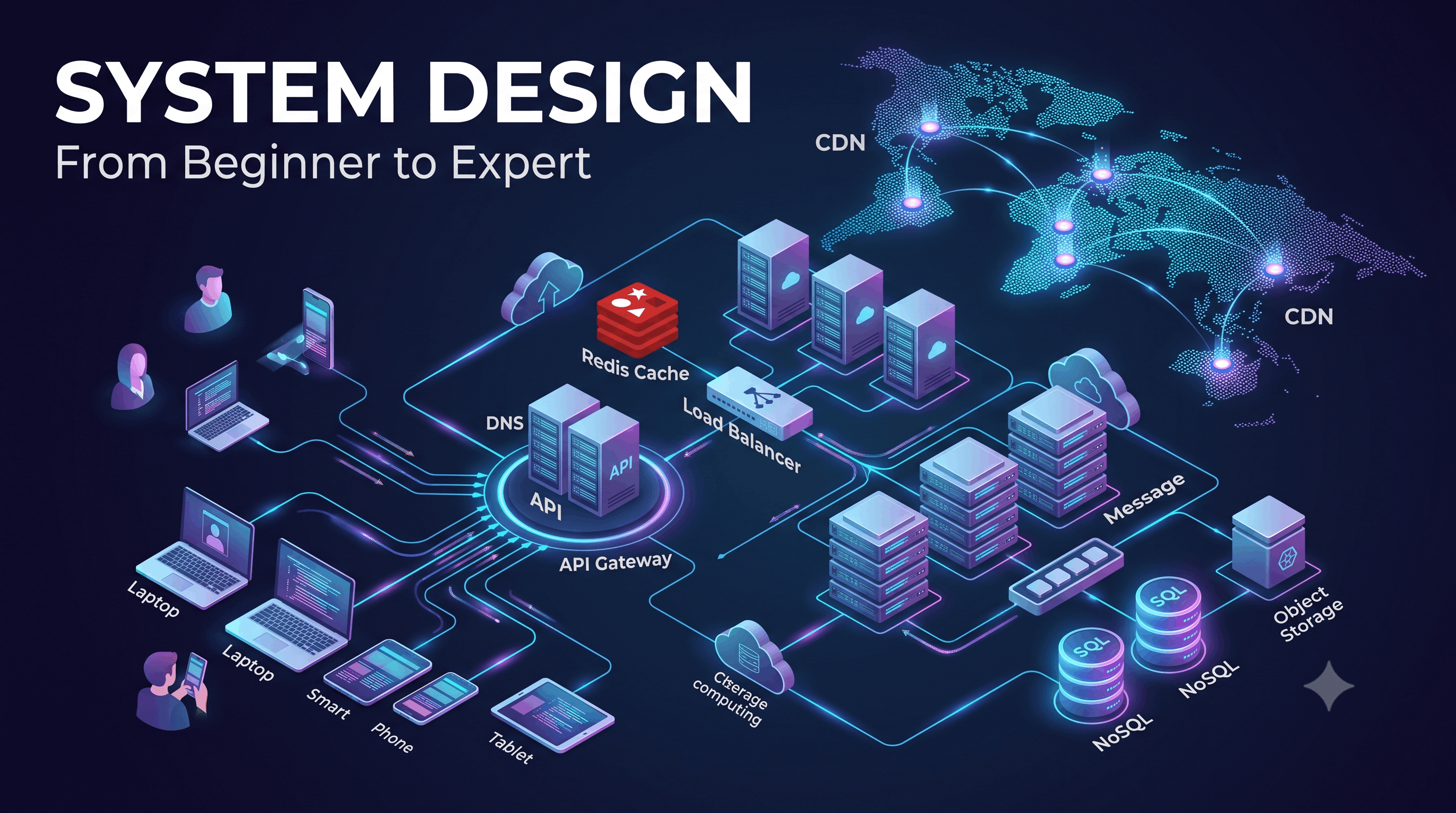
System Design is about deciding how all the pieces of a software system work together.
It helps engineers answer questions such as:
This article begins our journey from System Design beginner to expert.
System Design is the process of designing the architecture, components, data flow, communication mechanisms, and infrastructure required to build a software system.
Consider a simple application:
User
  ↓
Frontend
  ↓
Backend API
  ↓
Database
For a small application, this may be enough.
But imagine building something like YouTube.
Now you may need:
                         ┌──→ Cache
                         │
Users → Load Balancer → API Servers
                         │
                         ├──→ Database
                         │
                         ├──→ Message Queue
                         │
                         ├──→ Object Storage
                         │
                         └──→ Search Service
The complexity increases dramatically.
System Design helps us determine:
What components do we need, how should they communicate, and how should the system behave under different conditions?
Imagine you build an application on a single server.
Users
  ↓
┌───────────────┐
│ Application   │
│ Server        │
│               │
│ Database      │
└───────────────┘
Initially, everything works.
Then your application becomes popular.
The number of requests increases:
10 users
   ↓
1,000 users
   ↓
10,000 users
   ↓
100,000 users
   ↓
1,000,000 users
Eventually, the server may not be able to handle the workload.
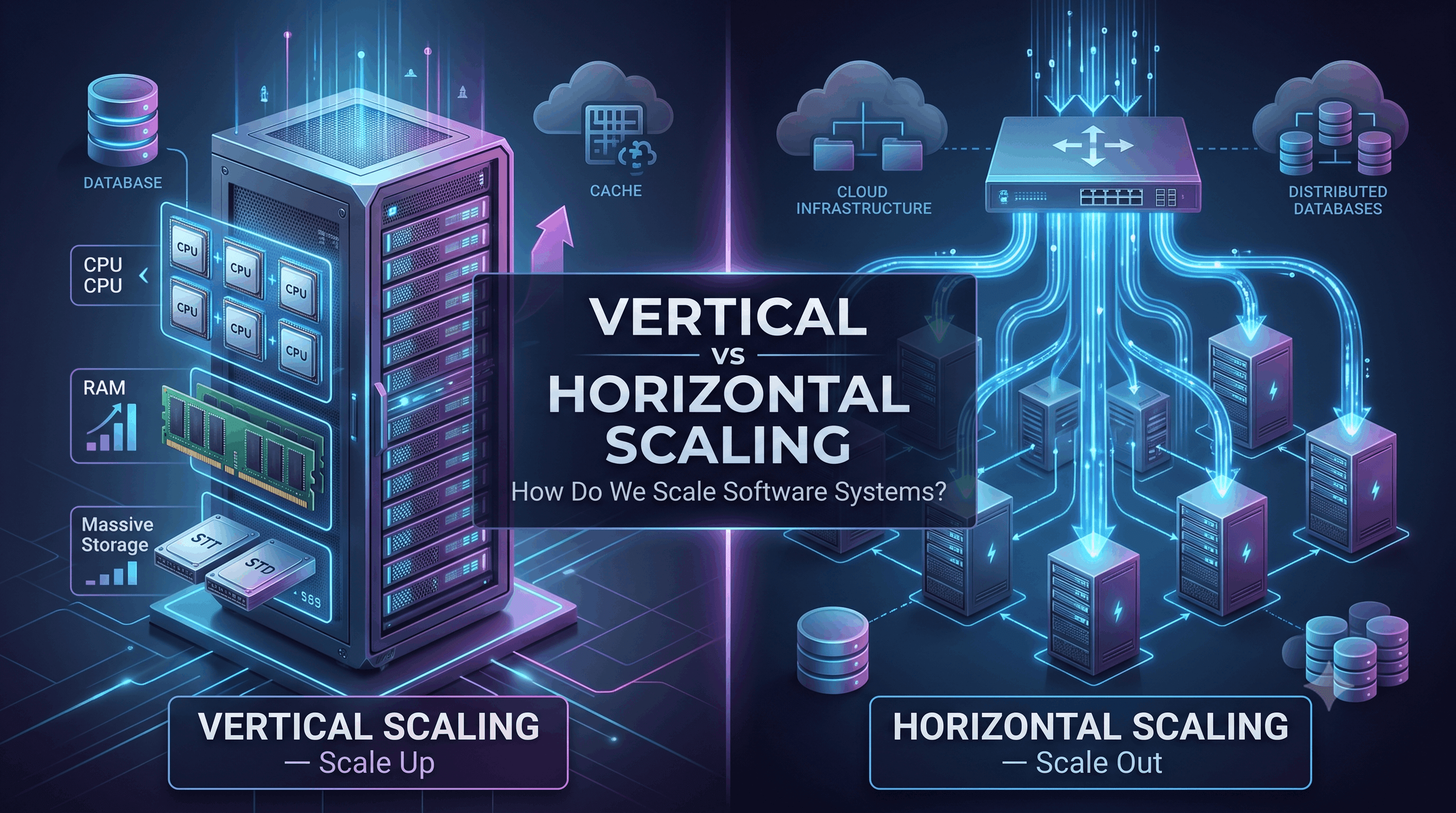
You could buy a more powerful server.
This is called vertical scaling.
But there is a limit to how powerful one machine can become.
Eventually, you need multiple servers.
                 ┌── Server 1
                 │
Users → Load Balancer ── Server 2
                 │
                 └── Server 3
Now you have introduced another problem:
How do we distribute traffic between servers?
That is a System Design problem.
Coding focuses primarily on implementing functionality.
For example:
function login(email, password)You think about:
System Design operates at a larger level.
You ask:
In simple terms:
Coding determines how a component works. System Design determines how the components work together.
Most large systems are composed of several important building blocks.
The client is what users interact with.
Examples:
For example:
Chrome
Safari
Android App
iOS AppDNS stands for Domain Name System.
When a user enters:
www.example.comDNS helps translate the domain name into an IP address.
Conceptually:
example.com
     ↓
DNS
     ↓
IP Address
     ↓
Server
DNS becomes especially important when applications operate across multiple servers and geographic regions.
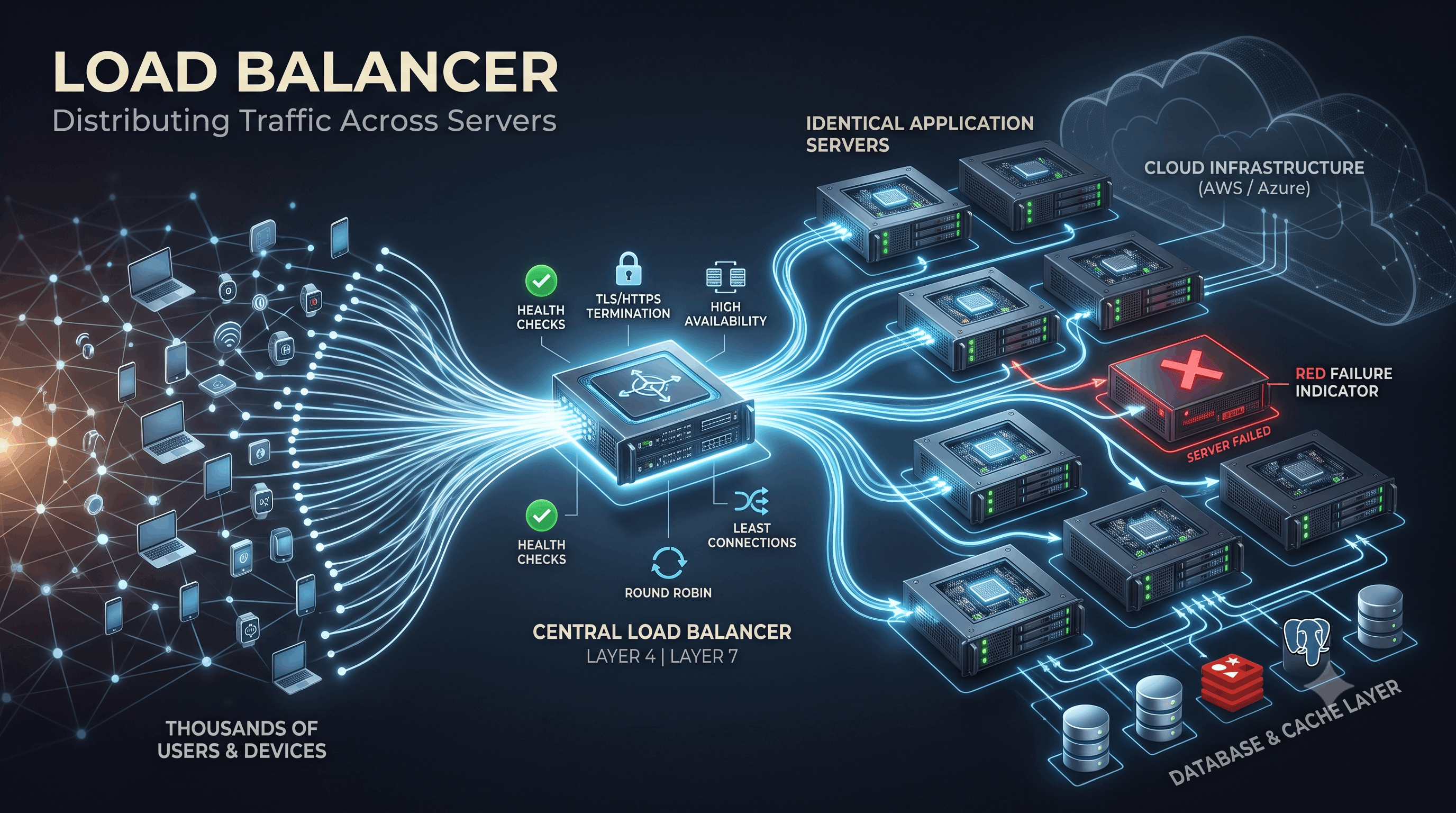
A load balancer distributes incoming requests across multiple servers.
Instead of:
Users
  ↓
Server
we can have:
             ┌── Server 1
             │
Users → Load Balancer ── Server 2
             │
             └── Server 3
This provides several benefits:
Application servers contain the business logic.
For example:
User requests product
        ↓
API Server
        ↓
Business Logic
        ↓
Database
        ↓
Response
As traffic increases, we can add more application servers.
The database stores persistent application data.
For example:
Users
Products
Orders
Payments
Messages
Posts
Comments
Common database categories include:
Examples:
They are commonly used when structured data and strong relationships are important.
Examples:
They can be useful for certain large-scale, distributed workloads.
Choosing the right database is one of the most important System Design decisions.
A cache stores frequently accessed data closer to the application.
Without caching:
User
 ↓
API
 ↓
Database
 ↓
Response
With caching:
User
 ↓
API
 ↓
Cache
 ↓
Response
If the requested data exists in the cache, we may avoid an expensive database query.
Popular caching technologies include:
Caching can dramatically improve application performance.
Not every operation needs to happen immediately.
Suppose a user uploads a video.
The system may need to:
Doing everything synchronously could make the request extremely slow.
Instead:
User
 ↓
API
 ↓
Message Queue
 ↓
Worker
 ↓
Video Processing
The queue allows background workers to process tasks asynchronously.
Common technologies include:
Large files shouldn't normally be stored directly inside a relational database.
Examples of large objects:
Object storage is designed for this type of data.
A typical architecture could be:
User
 ↓
Application
 ↓
Object Storage
Examples include:
CDN stands for Content Delivery Network.
Suppose your application is hosted in India.
A user in the United States requests a large image.
Without a CDN:
USA User
   ↓
India Server
   ↓
Image
With a CDN:
USA User
   ↓
Nearby CDN
   ↓
Image
The CDN can cache static content closer to users.
This can reduce latency and decrease load on the origin servers.
One of the most important concepts in System Design is scalability.
Scalability means the ability of a system to handle increasing workload by adding resources or changing architecture.
There are two fundamental approaches.
Increase the power of an existing machine.
For example:
8 GB RAM
   ↓
32 GB RAM
   ↓
64 GB RAM
Advantages:
Disadvantages:
Add more machines.
          ┌── Server 1
          │
Users → Load Balancer ── Server 2
          │
          └── Server 3
Advantages:
Disadvantages:
Large-scale systems frequently rely heavily on horizontal scaling.
Availability describes how often a system is operational and accessible.
Imagine an online banking system.
If it is unavailable for several hours, that could have serious consequences.
Therefore, we design systems to minimize downtime.
One common strategy is redundancy.
Instead of:
Serverwe use:
Server 1
Server 2
Server 3
If one server fails:
Server 1 ❌

Server 2 ✓
Server 3 ✓
The system can continue serving requests.
Availability and reliability are related but not identical.
Availability asks:
Is the system accessible?
Reliability asks:
Does the system consistently perform its intended function correctly?
For example, a payment system that is online but occasionally charges customers twice is available but not reliable.
Good system design considers both.
Latency is the time required to complete an operation.
For example:
Request → 50 ms → ResponseA system with lower latency generally feels faster to users.
System designers try to minimize unnecessary latency through techniques such as:
Throughput measures how much work a system can process over a period of time.
For example:
10,000 requests/secondA system may have low latency but limited throughput, or high throughput but higher latency.
System design requires understanding the workload and choosing appropriate architecture.
This is another fundamental concept.
A stateless server doesn't depend on information stored locally from previous requests.
For example:
Request 1 → Server A
Request 2 → Server B
Request 3 → Server C
Any server can process the request.
This makes horizontal scaling easier.
Stateful architecture may require requests from the same user to reach a particular server or require shared state management.
A common solution is to move shared state into systems such as:
Redis
Database
Distributed CacheA monolithic application contains many parts of the system in one application.
┌───────────────────────────────┐
│           Monolith            │
│                               │
│ Users                         │
│ Orders                        │
│ Payments                      │
│ Products                      │
│ Notifications                 │
└───────────────────────────────┘
A microservices architecture separates functionality into independent services.
User Service
     │
Order Service
     │
Payment Service
     │
Notification Service
     │
Product Service
Microservices can provide independent scaling and deployment, but they also introduce additional complexity.
Important: Microservices are not automatically better.
Architecture should follow requirements rather than trends.
Suppose we want to build a service like:
example.com/very-long-urlwhich becomes:
short.ly/a7X92At first, the system seems simple.
We might design:
User
 ↓
API Server
 ↓
Database
But then we ask:
Maybe millions.
Maybe billions.
Yes.
Yes.
The architecture could evolve into:
                    ┌── Cache
                    │
User → Load Balancer → API Servers
                    │
                    └── Database
Now we are thinking like a system designer.
Before designing a system, we should understand its requirements.
These describe what the system should do.
For a URL shortener:
These describe how the system should behave.
Examples:
This distinction is extremely important in System Design interviews.
A common mistake beginners make is immediately drawing boxes:
Load Balancer
Redis
Kafka
MongoDB
Kubernetes
Microservices
That is not System Design.
Good System Design starts with requirements.
Ask:
Only after answering these questions should you begin selecting technologies and architecture.
There is rarely a perfect architecture.
Every decision has advantages and disadvantages.
For example:
Consistency  ↔  Availability

Latency      ↔  Accuracy

Cost         ↔  Performance

Simplicity   ↔  Flexibility

Strong Consistency ↔ Eventual Consistency
A good system designer understands these trade-offs.
The goal isn't:
"Build the most complicated system."
The goal is:
Build the simplest system that satisfies the requirements and can evolve as those requirements grow.
This series will progressively explore the building blocks behind modern distributed systems.
We will eventually design systems inspired by real-world products:
Each design will focus on requirements, architecture, data flow, bottlenecks, scaling, failures, and trade-offs.
System Design is not about memorizing diagrams.
It is about learning how to think about software at scale.
When an application grows from:
1 user
 ↓
1,000 users
 ↓
1 million users
 ↓
100 million users
the architecture must evolve with it.
The fundamental questions remain:
How will the system scale?
How will it remain available?
How will it handle failures?
How will data be stored and accessed?
How will components communicate?
What trade-offs are we making?
Once you learn to answer these questions systematically, System Design becomes much less intimidating.
And that is exactly what we will learn throughout this series.
Pixels to Perfection Design that Impresses