Rahul
 LeetCode #155: Min Stack — Design a Stack with O(1) Minimum Retrieval
 LeetCode #20: Valid Parentheses — Master the Stack Pattern
 LeetCode #15: 3Sum — Master Sorting, Two Pointers and Duplicate Handling
 Instruction vs Context in AI Prompts: How to Tell AI What to Do and What Information to Use
 Rust Structs and Enums: Building Powerful Data Models
 Dissecting the High-Level System Architecture of Booking.com
 Kanban vs. Scrum: Which Agile Methodology to Choose?
 The Scaling Journey of LinkedIn: From Startup to Professional Powerhouse
 Mastering Code Review: A Guide for Reviewers and PR Creators
 ChatGPT: Unveiling the Power of AI in Conversational Experiences with Kairos Coders

Kairos Coders are here to help
Your application is growing.
Yesterday, your server handled:
1,000 requests/secondToday:
10,000 requests/secondNext year:
1,000,000 requests/secondThe question is no longer:
“Does my application work?”
The question becomes:
“How do I make my application handle significantly more traffic?”
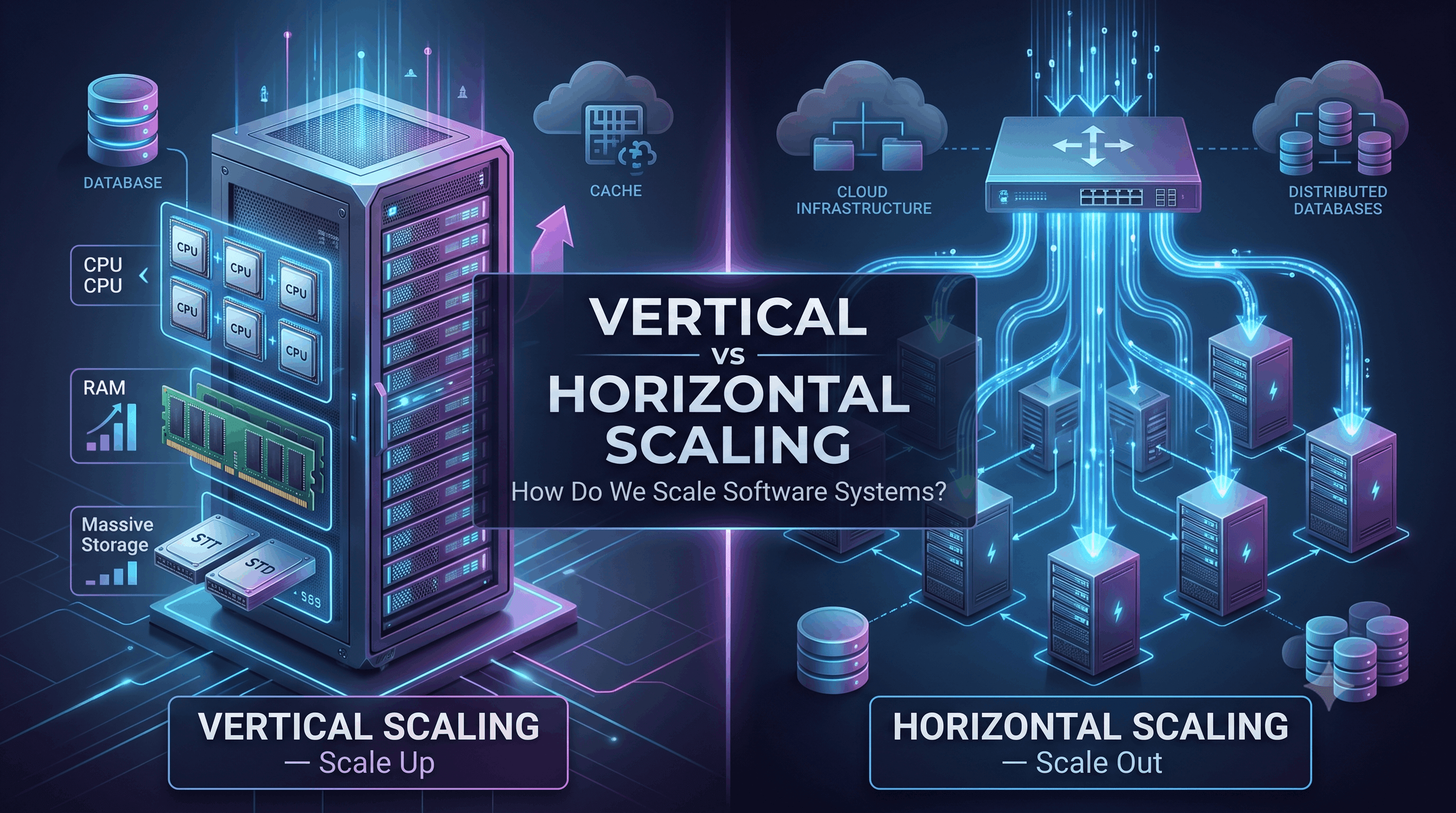
This is where scaling enters System Design.
There are two fundamental approaches:
Understanding the difference is essential because almost every large-scale system eventually needs to make decisions around these two strategies.
Scaling means increasing a system's ability to handle more workload.
Workload can mean:
Imagine you start with:
100 usersand eventually reach:
10 million usersYour original architecture may no longer be sufficient.
You need additional capacity.
That process is called scaling.
There are two fundamental approaches.
                    Scaling
                       │
             ┌─────────┴─────────┐
             │                   │
       Vertical Scaling    Horizontal Scaling
             │                   │
       Bigger Machine       More Machines
Let's understand both.
Vertical scaling is also called scaling up.
The idea is simple:
Make the existing machine more powerful.
Suppose your application runs on:
4 CPU
8 GB RAM
100 GB SSD
You can upgrade it to:
16 CPU
64 GB RAM
1 TB SSD
The architecture may remain almost unchanged.
Before:

Users
  ↓
Server
After:
Users
  ↓
More Powerful Server
You have scaled vertically.
Imagine you run an online store on one server.
Initially:
CPU: 2 cores
RAM: 4 GB
Traffic increases.
The server starts reaching:
CPU → 95%
RAM → 90%
Instead of adding another server, you upgrade the existing machine:
CPU: 8 cores
RAM: 32 GB
The same application can now handle significantly more workload.
That's vertical scaling.
You don't necessarily need to redesign your application.
You can continue using:
Application
     ↓
Database
without introducing distributed infrastructure.
A single database server can be much easier to manage than a distributed database.
You don't immediately have to deal with:
Fewer machines mean fewer failure scenarios.
Compare:
Single Serverwith:
100 ServersThe second system obviously introduces many more operational considerations.
Vertical scaling has a fundamental limitation:
A machine can only become so powerful.
You cannot infinitely increase CPU and RAM.
Eventually:
8 GB RAM
 ↓
32 GB
 ↓
128 GB
 ↓
512 GB
 ↓
?
The available hardware becomes limited or extremely expensive.
Larger machines can become disproportionately expensive.
For example, instead of buying:
1 × extremely powerful serveryou may eventually find it more economical and resilient to use:
10 × smaller serversThe exact economics depend heavily on the workload and infrastructure provider.
Suppose your entire application runs on one server:
Users
  ↓
Server
If that server fails:
Server ❌
  ↓
Application unavailable
Even if the server is extremely powerful, it remains a potential Single Point of Failure.
This is one of the biggest limitations of relying exclusively on vertical scaling.
Horizontal scaling is also called scaling out.
Instead of making one machine more powerful:
Add more machines.
For example:
Before:

Users
  ↓
Server
After:
                 ┌── Server 1
                 │
Users → Load Balancer ── Server 2
                 │
                 └── Server 3
Instead of one machine doing all the work, multiple machines share the workload.
Suppose one server can handle:
1,000 requests/secondYou need to handle:
10,000 requests/secondA simplified approach could be:
10 servers × 1,000 requests/secgiving roughly:
10,000 requests/secunder suitable workload assumptions.
Real systems rarely scale perfectly linearly, but the principle is extremely important.
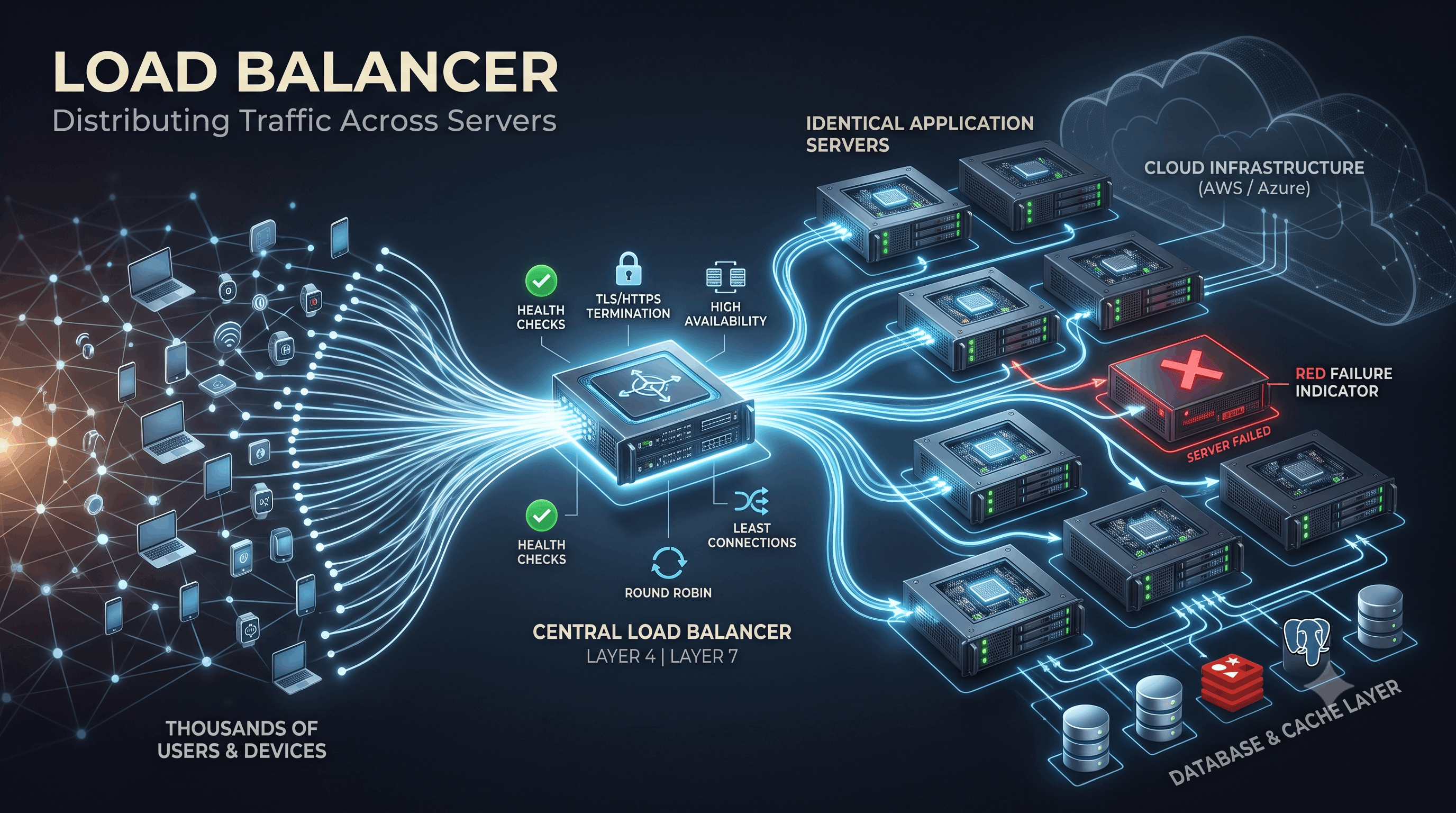
Once you have multiple application servers, you need something to distribute incoming traffic.
That's the job of a load balancer.
                    ┌── Server 1
                    │
Users → Load Balancer ── Server 2
                    │
                    └── Server 3
For example:
Request 1 → Server 1
Request 2 → Server 2
Request 3 → Server 3
Request 4 → Server 1
The exact distribution depends on the load-balancing strategy.
Horizontal scaling provides another important advantage.
Suppose you have three application servers:
Server 1 ✓
Server 2 ✓
Server 3 ✓
Server 2 crashes:
Server 1 ✓
Server 2 ❌
Server 3 ✓
The load balancer can stop sending traffic to the failed server.
Users may continue using the application.
This gives us an important principle:
Redundancy can improve availability.
Adding more servers introduces complexity.
Suppose you have:
Server A
Server B
Server C
Where should user session data be stored?
If Server A stores a user's session only in its local memory:
User
 ↓
Server A
 ↓
Session
then the next request could reach Server B:
User
 ↓
Server B
 ↓
Session not found
This can create problems.
One common solution is to move shared state into an external system.
For example:
Server A ──┐
Server B ──┼── Redis
Server C ──┘
Now all application servers can access shared session data.
This makes the application easier to scale horizontally.
A common goal in horizontally scalable application architectures is to make application servers stateless.
A stateless server doesn't rely on locally stored client state that must remain on that particular server.
Instead:
Server A ──┐
Server B ──┼── Shared Storage
Server C ──┘
Any server can process a request.
This makes adding and removing application servers easier.
Here's where things become more interesting.
You can easily add application servers:
        ┌── App 1
        │
LB ─────┼── App 2
        │
        └── App 3
But what about the database?
You might still have:
App 1 ──┐
App 2 ──┼── One Database
App 3 ──┘
Now the database can become the bottleneck.
This creates one of the most important lessons in System Design:
Scaling one layer doesn't automatically scale the entire system.
Suppose:
Application Servers
        │
        ▼
   PostgreSQL
Your application servers can process:
100,000 requests/secbut your database can process only:
20,000 queries/secThen the database becomes the bottleneck.
Your system's overall capacity is constrained by the weakest critical component.
This is why System Design is about the whole architecture, not just adding servers.
Databases can also be scaled vertically.
For example:
Database
 ↓
More CPU
More RAM
Faster Storage
Eventually, however, database workloads may require more advanced techniques such as:
We'll study each of these later.
Imagine a simple e-commerce system.
Initially:
Users
  ↓
Application Server
  ↓
Database
Traffic increases.
Upgrade the server:
Users
  ↓
Powerful Application Server
  ↓
Database
Still simple.
Traffic increases again:
                  ┌── App Server 1
                  │
Users → LB ───────┼── App Server 2
                  │
                  └── App Server 3
                         │
                         ▼
                      Database
Now application capacity is distributed.
Product pages are frequently requested.
Add a cache:
                  ┌── App 1
                  │
Users → LB ───────┼── App 2
                  │
                  └── App 3
                        │
                        ▼
                      Redis
                        │
                        ▼
                     Database
Now many reads can be served without reaching the database.
Read traffic becomes very large.
You might introduce replicas:
                    ┌── Read Replica 1
                    │
Application ────────┼── Read Replica 2
                    │
                    └── Primary
                         ↑
                       Writes
This allows read workloads to be distributed.
There are important consistency and replication-lag considerations, which we'll cover later.
Real-world systems don't necessarily choose one approach.
They often use both.
For example:
                    Load Balancer
                         │
             ┌───────────┼───────────┐
             ▼           ▼           ▼
          Server 1    Server 2    Server 3
             │           │           │
             └───────────┼───────────┘
                         ▼
                       Cache
                         │
                         ▼
                    Database
Each server can itself be a powerful machine.
So the architecture uses:
Vertical scaling + Horizontal scaling
This is extremely common.
Modern cloud platforms allow infrastructure to automatically increase or decrease capacity based on demand.
Imagine normal traffic:
5 serversTraffic suddenly increases:
50,000 usersThe system may automatically launch additional servers:
5 → 10 → 20 serversWhen traffic decreases:
20 → 10 → 5 serversThis is called auto scaling.
It can help reduce costs while maintaining capacity during traffic spikes.
Imagine an e-commerce platform.
Normal day:
10,000 requests/minuteBlack Friday:
500,000 requests/minuteA fixed number of servers might struggle.
An auto-scaling architecture could respond:
Normal:
5 servers

Traffic spike:
10 servers
      ↓
20 servers
      ↓
40 servers
When demand falls:
40
 ↓
20
 ↓
10
 ↓
5
This is one reason cloud infrastructure is so powerful for variable workloads.
Engineers often think only about request volume.
But systems can need scaling because of:
CPU → 95%RAM → 90%Disk → 95%Bandwidth → SaturatedConnection pool → ExhaustedPending jobs → MillionsAPI latency → IncreasingA good system designer monitors all important resources.
A bottleneck is a component limiting overall system performance or capacity.
Consider:
Client
  ↓
Load Balancer
  ↓
10 Application Servers
  ↓
Database
Suppose:
Application → 100,000 req/sec
Database    → 10,000 req/sec
The database is the bottleneck.
Adding 100 more application servers won't necessarily solve the problem.
You need to address the database bottleneck.
This leads to an important System Design rule:
Find the bottleneck before scaling.
Monitor metrics such as:
For example:
API latency ↑
Database CPU ↑
Database connections ↑
This could indicate that the database is becoming overloaded.
Vertical scaling can be a good choice when:
For a small business application, a single powerful server may be perfectly reasonable.
Don't build a distributed system just because you can.
Horizontal scaling becomes attractive when:
Large internet-scale systems commonly depend heavily on horizontal scaling.
| Feature | Vertical Scaling | Horizontal Scaling |
|---|---|---|
| Basic idea | Bigger machine | More machines |
| Complexity | Lower | Higher |
| Maximum capacity | Hardware limited | Can scale much further |
| Fault tolerance | Usually weaker | Usually stronger with redundancy |
| Implementation | Simpler | More complex |
| Distributed system required | Not necessarily | Often |
| Cost | Can become expensive at high end | Can be cost-efficient at scale |
| State management | Simpler | More challenging |
| Database scaling | Easier initially | Requires additional techniques |
| Availability | Limited by individual machine | Can improve through redundancy |
“Your application is receiving 10× more traffic than before. What would you do?”
A weak answer:
“Add more servers.”
A stronger answer:
“First I'd identify the bottleneck. I'd examine CPU, memory, network, database latency, cache hit rate, connection pools, and request patterns. If application servers are the bottleneck and requests can be distributed, I'd horizontally scale them behind a load balancer. If the database is the bottleneck, I'd consider query optimization, caching, read replicas, partitioning, or sharding depending on the workload.”
This demonstrates actual System Design thinking.
When an application starts struggling, don't immediately redesign everything.
Follow a process.
Find out what's actually slow.
CPU?
RAM?
Database?
Network?
Disk?
External API?Improve inefficient code and queries.
Cache frequently accessed data when appropriate.
If the workload is still modest, a larger machine may solve the problem.
Add multiple application instances when one machine isn't enough.
If the database becomes the bottleneck, consider:
Move expensive background work into queues and workers.
This is an important engineering principle.
Suppose your application has:
100 usersand you deploy:
20 microservices
10 Redis clusters
5 Kafka clusters
50 application servers
You have created enormous operational complexity without a business requirement.
A better architecture might simply be:
Users
  ↓
Application
  ↓
Database
Start simple.
Measure.
Then scale when necessary.
A typical application might evolve like this:
Stage 1

Users
  ↓
Single Server
  ↓
Database
↓
Stage 2

Users
  ↓
Powerful Server
  ↓
Database
↓
Stage 3

              ┌── Server 1
              │
Users → LB ───┼── Server 2
              │
              └── Server 3
                    │
                    ▼
                 Database
↓
Stage 4

              ┌── Server 1
              │
Users → LB ───┼── Server 2
              │
              └── Server 3
                    │
                    ▼
                  Cache
                    │
                    ▼
                 Database
↓
Stage 5

                 ┌── Read Replica
                 │
Application ─────┼── Read Replica
                 │
                 └── Primary
↓
Stage 6

Multiple services
Multiple databases
Queues
Workers
CDN
Multiple regions
Distributed storage
The architecture evolves because the requirements evolve.
There is no universal rule saying:
“Horizontal scaling is always better.”
There isn't.
Likewise:
“Vertical scaling is bad.”
That's also incorrect.
The right choice depends on:
A startup with 500 users may need a completely different architecture from a global platform serving hundreds of millions of users.
When you hear “How would you scale this?”, think:
1. What is the bottleneck?
        ↓
2. Can we optimize it?
        ↓
3. Can we cache it?
        ↓
4. Can we scale vertically?
        ↓
5. Can we scale horizontally?
        ↓
6. Does the database need replication?
        ↓
7. Does the data need partitioning/sharding?
        ↓
8. Can work be processed asynchronously?
        ↓
9. What happens when components fail?
This thought process will become extremely useful throughout the rest of the series.
Vertical scaling means:
Make the machine bigger.
Horizontal scaling means:
Add more machines.
A simple comparison:
VERTICAL

        ┌───────────────┐
Users →│ BIGGER SERVER │
        └───────────────┘
HORIZONTAL
┌── Server
│
Users → LB ──────┼── Server
│
└── ServerVertical scaling is simple but physically limited.
Horizontal scaling provides a path to much larger capacity and redundancy, but introduces distributed-system complexity.
In modern large-scale architectures, the answer is often not either/or.
Instead:
Use vertical scaling where it makes sense, horizontal scaling where necessary, and introduce complexity only when the requirements justify it.
The next major question is:
How do multiple servers actually share incoming traffic?
That takes us to one of the most important components in System Design:
Load Balancers — algorithms, health checks, Layer 4 vs Layer 7, sticky sessions, reverse proxies, and high availability.
Pixels to Perfection Design that Impresses