Rahul
 LeetCode #155: Min Stack — Design a Stack with O(1) Minimum Retrieval
 LeetCode #20: Valid Parentheses — Master the Stack Pattern
 LeetCode #15: 3Sum — Master Sorting, Two Pointers and Duplicate Handling
 Instruction vs Context in AI Prompts: How to Tell AI What to Do and What Information to Use
 Rust Structs and Enums: Building Powerful Data Models
 Dissecting the High-Level System Architecture of Booking.com
 Kanban vs. Scrum: Which Agile Methodology to Choose?
 The Scaling Journey of LinkedIn: From Startup to Professional Powerhouse
 Mastering Code Review: A Guide for Reviewers and PR Creators
 ChatGPT: Unveiling the Power of AI in Conversational Experiences with Kairos Coders

Kairos Coders are here to help
Programming is often taught as:
Learn a programming language → write code → solve problems.
But strong programmers usually work differently.
Before writing code, they first think about the logic.
One of the simplest tools for expressing that logic is pseudocode.
Pseudocode allows you to describe an algorithm in a structured, readable way without worrying about the syntax of Python, JavaScript, Java, C++, PHP, or any other programming language.
In the previous article, we learned the difference between an algorithm, pseudocode, code, program, and software.
In this article, we will take the next step:
How do you actually write an algorithm using pseudocode?
By the end, you'll be able to take a simple problem, break it into logical steps, write pseudocode, and then convert that pseudocode into real code.
Pseudocode is a human-readable representation of an algorithm that resembles programming logic without following the strict syntax of a particular programming language.
In simpler words:
Pseudocode is a way of writing program logic before writing actual code.
For example, suppose we need to determine whether a number is even or odd.
Instead of immediately writing Python:
if number % 2 == 0:
    print("Even")
else:
    print("Odd")
we can first write:
IF number is divisible by 2
    PRINT "Even"
ELSE
    PRINT "Odd"
That's pseudocode.
Notice that we are thinking about the logic, not the programming language.
Imagine you're building a large application.
If you immediately start coding without understanding the logic, you can quickly end up with:
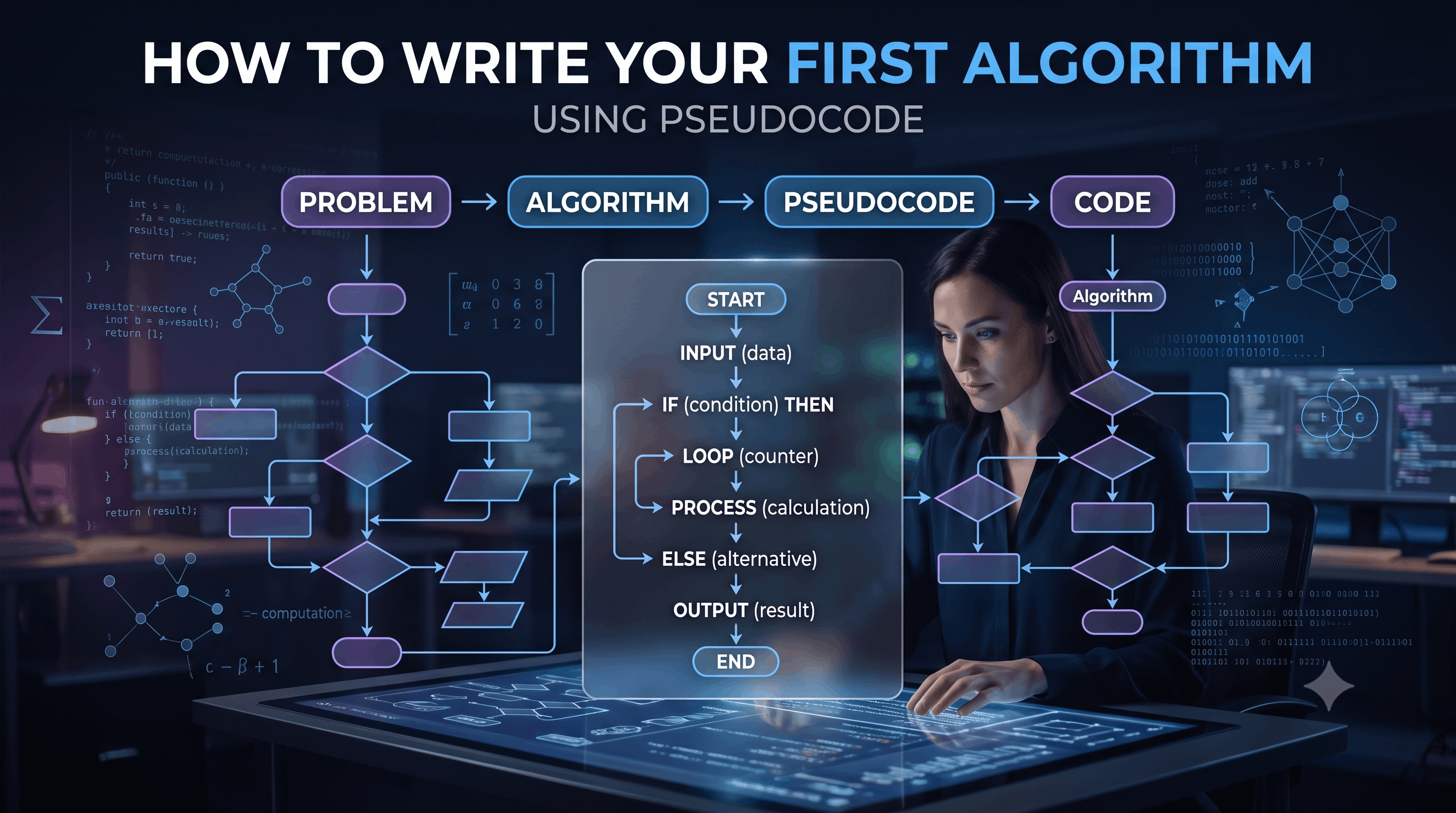
Pseudocode provides a bridge between:
Problem
   ↓
Thinking
   ↓
Algorithm
   ↓
Pseudocode
   ↓
Code
It allows you to focus on the problem before worrying about syntax.
This is important.
Pseudocode doesn't have one official syntax.
You might write:
SET total = 0or:
total ← 0or:
total = 0All can be understandable as pseudocode.
The goal isn't to make the computer execute it.
The goal is to make the logic easy for humans to understand.
Let's start with the simplest possible example.
Add two numbers.
1. Take two numbers.
2. Add them.
3. Display the result.START
INPUT A
INPUT B
SUM = A + B
OUTPUT SUM
ENDThat's it.
Now the pseudocode can be translated into almost any programming language.
Consider this problem:
Find whether a person is eligible to vote.
START
INPUT age
IF age >= 18
OUTPUT "Eligible to vote"
ELSE
OUTPUT "Not eligible to vote"
ENDage = int(input("Enter age: "))
if age >= 18:
print("Eligible to vote")
else:
print("Not eligible to vote")const age = 20;
if (age >= 18) {
console.log("Eligible to vote");
} else {
console.log("Not eligible to vote");
}The syntax is different.
The logic is the same.
Most algorithms can be expressed using a small number of fundamental structures.
The most important ones are:
Let's understand each one.
You can explicitly show where an algorithm begins and ends.
START
...
ENDExample:
START
OUTPUT "Hello, World!"
ENDThis makes the boundaries of the algorithm clear.
Input represents information supplied to the algorithm.
For example:
INPUT name
INPUT age
INPUT salaryOr:
READ numberExample:
START
INPUT number
OUTPUT number
ENDThe algorithm accepts a number and displays it.
Output represents the result produced by the algorithm.
Common pseudocode notation includes:
OUTPUT resultor:
PRINT resultExample:
sum = 10 + 20
OUTPUT sumResult:
30Variables store information.
For example:
age = 25
name = "Rahul"
total = 500In pseudocode:
SET age = 25
SET total = 500The exact syntax doesn't matter as much as the meaning.
Assignment means storing a value in a variable.
For example:
SET total = 0Then:
SET total = total + 10Now:
total = 10Assignment is used constantly in algorithms.
A sequence means instructions execute one after another.
Example:
START

INPUT A
INPUT B

SUM = A + B

OUTPUT SUM

ENDThe steps happen in order:
Input A
   ↓
Input B
   ↓
Add A + B
   ↓
Output result
This is the simplest form of algorithmic logic.
Conditions allow an algorithm to make decisions.
The basic structure is:
IF condition
    action
ELSE
    alternative action
Example:
IF marks >= 40
    OUTPUT "Pass"
ELSE
    OUTPUT "Fail"
This creates two possible paths.
             marks >= 40?
               /       \
             YES        NO
              ↓          ↓
PASS FAILSometimes there are more than two possibilities.
For example, grading a student:
IF marks >= 90
    grade = "A+"
ELSE IF marks >= 80
    grade = "A"
ELSE IF marks >= 70
    grade = "B"
ELSE IF marks >= 60
    grade = "C"
ELSE
    grade = "Fail"
The algorithm evaluates conditions from top to bottom.
Loops allow an algorithm to repeat instructions.
For example:
Print numbers from 1 to 5.
Pseudocode:
FOR i = 1 TO 5
    OUTPUT i
END FOR
Output:
1
2
3
4
5
Without a loop, you'd have to write:
OUTPUT 1
OUTPUT 2
OUTPUT 3
OUTPUT 4
OUTPUT 5
Loops make algorithms concise and scalable.
Another common structure is:
WHILE condition
    perform action
END WHILE
Example:
number = 1

WHILE number <= 5
    OUTPUT number
    number = number + 1
END WHILE
Output:
1
2
3
4
5A simple way to think about them:
Use when the number of repetitions is known or naturally count-based.
FOR i = 1 TO 10Use when repetition depends on a condition.
WHILE user has not entered "exit"Neither is universally better.
The choice depends on the problem.
Functions allow us to organize reusable logic.
For example:
FUNCTION calculateSquare(number)

    result = number * number

    RETURN result

END FUNCTION
Then:
answer = calculateSquare(5)

OUTPUT answer
Result:
25Functions become extremely important as algorithms become larger.
Algorithms frequently operate on collections of data.
For example:
numbers = [10, 20, 30, 40, 50]We can process them using a loop:
FOR each number IN numbers
    OUTPUT number
END FOR
This simple pattern appears throughout searching, sorting, data processing, and machine learning.
Now let's solve a slightly more interesting problem.
Find the largest number in an array.
Input:
[12, 45, 7, 89, 23]Expected output:
89Before writing pseudocode, ask:
For a simple version:
Input = list of numbers
Output = largest number
We don't need to sort the array.
A simple strategy:
Assume the first number is the largest.

Check every remaining number.

If a number is larger:
    update largest.

Return largest.
This is our algorithm.
START

INPUT numbers

largest = first element of numbers

FOR each number IN numbers

    IF number > largest
        largest = number
    END IF

END FOR

OUTPUT largest

END
That's a complete algorithm.
Input:
[12, 45, 7, 89, 23]Initially:
largest = 1245 > 12Update:
largest = 457 > 45False.
Keep:
largest = 4589 > 45True.
Update:
largest = 8923 > 89False.
Final:
largest = 89Python:
numbers = [12, 45, 7, 89, 23]

largest = numbers[0]

for number in numbers:
    if number > largest:
        largest = number

print(largest)
The pseudocode directly guided the implementation.
That's exactly what we want.
Let's create another algorithm.
Calculate the average of:
[80, 70, 90, 60, 100]1. Set total to zero.
2. Go through every number.
3. Add each number to total.
4. Count the numbers.
5. Divide total by count.
6. Output the average.START
numbers = [80, 70, 90, 60, 100]
total = 0
FOR each number IN numbers
total = total + number
END FOR
count = number of elements in numbers
average = total / count
OUTPUT average
ENDThe result is:
80Now let's create a more algorithmic problem.
Determine whether a number is prime.
A prime number has exactly two positive divisors:
1
itself
For example:
7 → Prime
8 → Not Prime
11 → Prime
12 → Not Prime1. Take number N.
2. If N is less than 2, it is not prime.
3. Try dividing N by numbers from 2 to N-1.
4. If any division has remainder 0, N is not prime.
5. Otherwise, N is prime.START
INPUT N
IF N < 2
OUTPUT "Not Prime"
END
END IF
FOR i = 2 TO N - 1
IF N MOD i = 0
OUTPUT "Not Prime"
END
END IF
END FOR
OUTPUT "Prime"
ENDThis works, but later in the series we'll learn how to optimize this algorithm.
That is an important lesson:
Your first algorithm doesn't always have to be your final algorithm.
You first need a correct solution.
Then you can improve it.
Suppose we have:
numbers = [10, 20, 30, 40, 50]We want to find:
40A basic solution is Linear Search.
START

INPUT numbers
INPUT target

FOR each number IN numbers

    IF number = target
        OUTPUT "Found"
        END
    END IF

END FOR

OUTPUT "Not Found"

END
This algorithm checks elements one by one.
Later, we'll study Linear Search and Binary Search in detail.
Factorial of a number N is:
N! = N × (N-1) × (N-2) × ... × 1For example:
5! = 5 × 4 × 3 × 2 × 1Therefore:
5! = 120START
INPUT N
factorial = 1
FOR i = 1 TO N
factorial = factorial × i
END FOR
OUTPUT factorial
ENDThis is an iterative algorithm.
Later, we'll also solve factorial using recursion.
Good pseudocode should be:
Anyone familiar with programming should understand it.
Use indentation to show logical relationships.
Avoid unnecessary Python, Java, or JavaScript-specific syntax.
Don't write vague instructions.
Bad:
Do something with the numbers.Good:
Add each number to total.Don't describe every obvious detail.
The purpose is to communicate the algorithm, not create another programming language.
Get stuff.
Do calculations.
Check things.
Return answer.
This tells us almost nothing.
INPUT A
INPUT B

sum = A + B

IF sum > 100
    OUTPUT "Large"
ELSE
    OUTPUT "Small"
END IF
Now the logic is clear.
You will commonly see:
START
END

INPUT
OUTPUT
PRINT
READ

SET
IF
ELSE
ELSE IF

FOR
WHILE
REPEAT

FUNCTION
RETURN

BREAK
CONTINUE
Different books and organizations may use slightly different notation.
Don't worry about memorizing one universal syntax.
Focus on the underlying logic.
Pseudocode and flowcharts solve a similar problem in different ways.
Uses text.
INPUT age

IF age >= 18
    OUTPUT "Adult"
ELSE
OUTPUT "Minor"Uses visual symbols.
       START
         ↓
     Input Age
         ↓
    Age >= 18?
      ↙     ↘
    YES      NO
     ↓        ↓
  Adult     Minor
      ↘     ↙
         END
Pseudocode is often faster to write.
Flowcharts can be useful when you want to visually communicate a process.
We'll explore flowcharts in the next article.
One of the biggest benefits of pseudocode is that it separates logic from syntax.
Suppose the pseudocode is:
INPUT number

IF number MOD 2 = 0
    OUTPUT "Even"
ELSE
    OUTPUT "Odd"
END IF
Python:
if number % 2 == 0:
    print("Even")
else:
    print("Odd")
JavaScript:
if (number % 2 === 0) {
    console.log("Even");
} else {
    console.log("Odd");
}
Java:
if (number % 2 == 0) {
    System.out.println("Even");
} else {
    System.out.println("Odd");
}
The programming language changes.
The algorithm doesn't.
Suppose your program isn't working.
Instead of staring at hundreds of lines of code, go back to your algorithm.
Ask:
Is the algorithm itself correct?If the pseudocode is wrong, changing the syntax won't fix the problem.
For example:
INPUT A
INPUT B

result = A - B

OUTPUT result
If the problem asks you to calculate:
A + Bthen the algorithm itself is wrong.
No amount of Python syntax changes will solve that.
Pseudocode is also useful when working in teams.
Imagine a developer says:
"I have an algorithm for processing orders."
Instead of immediately showing 500 lines of code, they can explain:
FOR each order

    validate order

    IF payment is successful

        reserve inventory

        create shipment

        send confirmation

    ELSE

        mark payment as failed

END FOR
Everyone can understand the logic without needing to understand the implementation details.
This makes discussions easier.
As algorithms become more advanced, pseudocode becomes even more useful.
Consider a graph algorithm.
Instead of immediately writing hundreds of lines of code, you might first describe:
START

Choose starting node

Mark starting node as visited

ADD starting node to queue

WHILE queue is not empty

    REMOVE a node from queue

    FOR each neighboring node

        IF neighbor is not visited

            mark neighbor as visited
            ADD neighbor to queue

        END IF

    END FOR

END WHILE

END
This describes the basic idea of Breadth-First Search without committing to a programming language.
When you encounter a new problem, use this process:
STEP 1
Understand the problem
        ↓
STEP 2
Identify input and output
        ↓
STEP 3
Work through an example manually
        ↓
STEP 4
Think of the simplest solution
        ↓
STEP 5
Write the algorithm
        ↓
STEP 6
Convert it into pseudocode
        ↓
STEP 7
Dry run the pseudocode
        ↓
STEP 8
Analyze complexity
        ↓
STEP 9
Write actual code
        ↓
STEP 10
Test edge cases
        ↓
STEP 11
Optimize if necessary
This workflow will become one of the most valuable habits you develop.
Try solving this without looking at the solution first.
Given three numbers:
A = 15
B = 27
C = 19
Find the largest number.
Think about:
Input
↓
Comparison
↓
Decision
↓
Output
A possible pseudocode solution:
START

INPUT A
INPUT B
INPUT C

largest = A

IF B > largest
    largest = B
END IF

IF C > largest
    largest = C
END IF

OUTPUT largest

END
Result:
27Determine whether a student has passed.
Rules:
Marks >= 40 → Pass
Marks < 40 → Fail
Write the pseudocode yourself.
One possible solution:
START

INPUT marks

IF marks >= 40
    OUTPUT "Pass"
ELSE
    OUTPUT "Fail"
END IF

END
Simple problems like this teach the fundamental building blocks used in much more complex algorithms.
Don't worry about semicolons, brackets, indentation rules, or language-specific functions.
Focus on logic.
Bad:
Process the array.Better:
FOR each element in the array
    compare element with target
END FORAsk:
What if the input is empty?
What if there is only one element?
What if the number is negative?
What if the target doesn't exist?
Thinking about edge cases early produces better algorithms.
Pseudocode shouldn't become a full programming language.
You don't need to specify every tiny implementation detail.
Always perform a dry run.
Take a small input and manually execute each step.
This often exposes mistakes before you write code.
Interviewers may ask:
"Can you explain your approach before coding?"
This is essentially an invitation to explain your algorithm.
A strong candidate might say:
"I'll first find the largest element by assuming the first element is the maximum and then scanning the remaining elements. Whenever I find a larger value, I'll update the maximum. After the scan, I'll return the maximum value."
That's algorithmic thinking.
You can then translate that explanation into pseudocode and finally code.
Pseudocode is a powerful bridge between problem-solving and programming.
Remember:
The most important habit to develop is:
Understand → Design → Write Pseudocode → Dry Run → Code → Test → Optimize
Pixels to Perfection Design that Impresses