Rahul
 LeetCode #155: Min Stack — Design a Stack with O(1) Minimum Retrieval
 LeetCode #20: Valid Parentheses — Master the Stack Pattern
 LeetCode #15: 3Sum — Master Sorting, Two Pointers and Duplicate Handling
 Instruction vs Context in AI Prompts: How to Tell AI What to Do and What Information to Use
 Rust Structs and Enums: Building Powerful Data Models
 Dissecting the High-Level System Architecture of Booking.com
 Kanban vs. Scrum: Which Agile Methodology to Choose?
 The Scaling Journey of LinkedIn: From Startup to Professional Powerhouse
 Mastering Code Review: A Guide for Reviewers and PR Creators
 ChatGPT: Unveiling the Power of AI in Conversational Experiences with Kairos Coders

Kairos Coders are here to help
In the previous article, we learned about variables, mutability, shadowing, constants, and scope.
Now we're going deeper into one of Rust's most important foundations:
The Rust type system.
Every value in Rust has a type.
Rust uses this information to catch mistakes before your program runs.
In this article, you'll learn:
A data type tells Rust what kind of value you're working with.
For example:
let age = 30;
age contains an integer.
Another example:
let price = 99.99;
price contains a floating-point number.
And:
let active = true;
active contains a Boolean.
Conceptually:
age       → integer
price     → floating-point number
active    → Boolean
Types allow Rust to determine:
Rust's built-in types can broadly be introduced as:
Scalar Types
    ↓
One value

Compound Types
    ↓
Multiple values
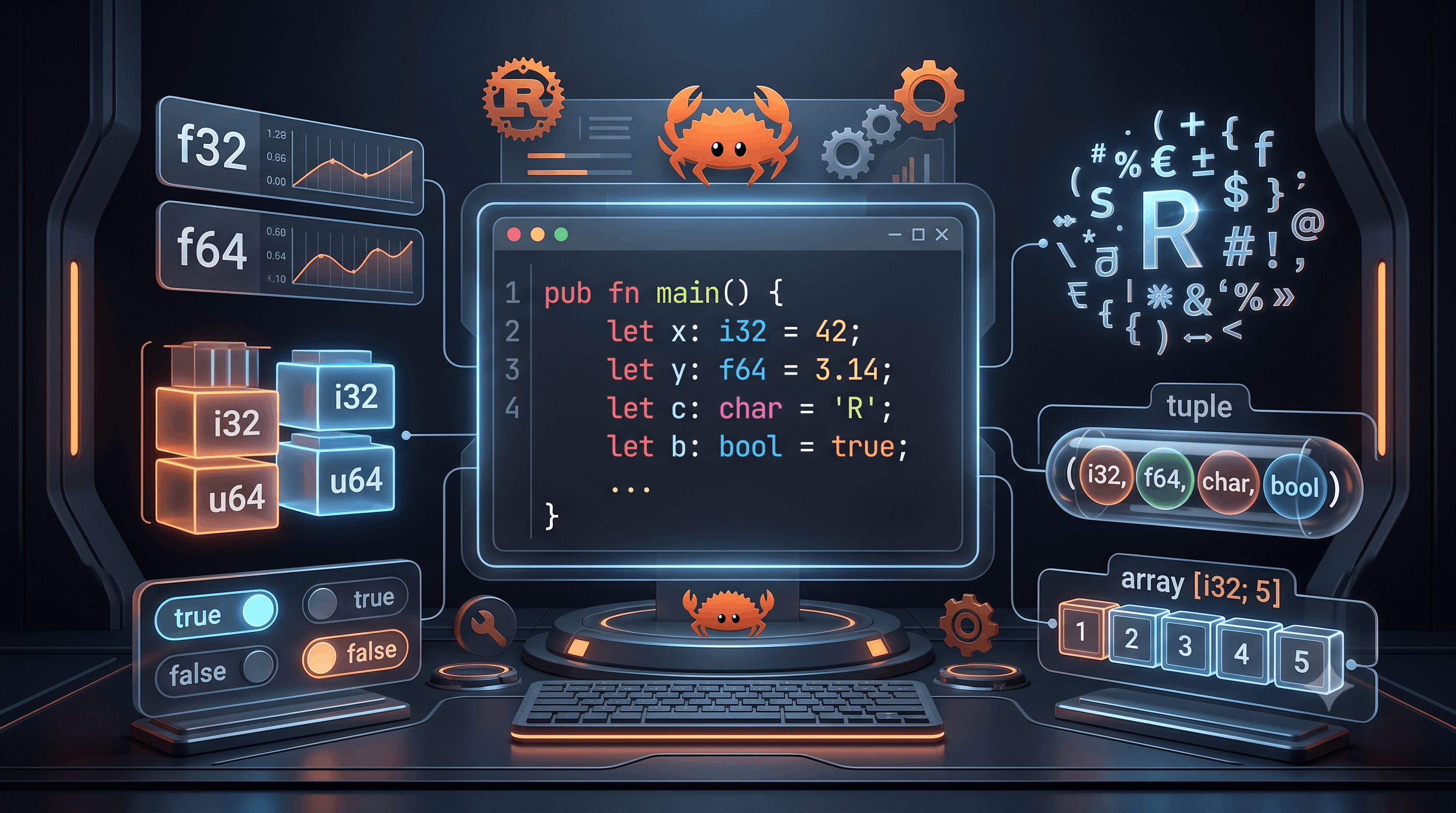
The four primary scalar types are:
The two primitive compound types are:
Let's explore each one.
A scalar represents a single value.
For example:
let age: i32 = 30;
The variable contains one integer value.
Similarly:
let active: bool = true;
contains one Boolean value.
Integers represent whole numbers.
Examples:
-10
0
25
1000
Rust provides several integer types.
Signed integers can represent both positive and negative values.
i8
i16
i32
i64
i128
isize
For example:
let temperature: i32 = -10;
Unsigned integers can represent only zero and positive values.
u8
u16
u32
u64
u128
usize
For example:
let age: u32 = 30;
Since an age normally isn't negative, an unsigned integer can sometimes make sense.
The difference is straightforward.
let temperature: i32 = -20;
Can represent:
negative
zero
positive
let age: u32 = 30;
Can represent:
zero
positive
but not:
negative
The number after i or u represents the number of bits.
For example:
i8
uses 8 bits.
i32
uses 32 bits.
i64
uses 64 bits.
i128
uses 128 bits.
Generally:
More bits
   ↓
Larger range of values
   ↓
More memory
For a signed integer with n bits, the range is approximately:
-2^(n-1) to 2^(n-1)-1
For example, i8 can represent:
-128 to 127
An unsigned u8 can represent:
0 to 255
This makes u8 useful for values such as:
Different applications have different requirements.
For example, a small value might use:
let age: u8 = 30;
A database identifier might use:
let user_id: u64 = 123456789;
A collection index commonly uses:
let index: usize = 10;
Choosing an appropriate type can matter when working with:
As a beginner, i32 is often a convenient default for general integer calculations.
When Rust sees:
let number = 10;
and there isn't enough context to determine another type, the compiler generally defaults the integer to:
i32
So this:
let number = 10;
is commonly equivalent to:
let number: i32 = 10;
You can always specify the type:
let small_number: i8 = 100;
let normal_number: i32 = 100000;
let large_number: i64 = 10000000000;
let id: u64 = 123456789;
This is especially useful when the type matters to your application's design.
Rust allows different representations of integer literals.
For example:
let decimal = 100;
let hex = 0xff;
let octal = 0o77;
let binary = 0b1010;
You can also use underscores to make large numbers easier to read:
let population = 1_400_000_000;
The underscores don't change the value.
They simply improve readability.
Rust provides two floating-point types:
f32
f64
Example:
let price: f64 = 999.99;
And:
let temperature: f32 = 36.5;
f32 vs f64The difference is precision and memory usage.
f32 → 32-bit floating point
f64 → 64-bit floating point
Rust commonly defaults floating-point literals to:
f64
So:
let price = 99.99;
is generally inferred as f64.
For many general-purpose applications, f64 is the usual choice when floating-point arithmetic is appropriate.
You can perform normal arithmetic:
fn main() {
    let price = 100.0;
    let quantity = 3.0;

    let total = price * quantity;

    println!("Total: {total}");
}
Output:
Total: 300
However, floating-point numbers have precision limitations.
For financial systems where exact decimal arithmetic matters, you should carefully choose a representation rather than blindly using f64.
Rust has a Boolean type:
bool
It has exactly two possible values:
true false
Example:
let is_logged_in = true;
let is_admin = false;
Booleans are commonly used with conditional logic.
You can combine Boolean values using logical operators.
&&
Example:
let logged_in = true;
let admin = true;

let allowed = logged_in && admin;
Both conditions must be true.
||
Example:
let is_admin = false;
let is_manager = true;

let can_manage = is_admin || is_manager;
At least one condition must be true.
!
Example:
let active = true;
let inactive = !active;
Now:
inactive → false
fn main() {
    let age = 25;
    let has_ticket = true;

    let can_enter = age >= 18 && has_ticket;

    println!("Can enter: {can_enter}");
}
Output:
Can enter: true
Notice that the comparison:
age >= 18
produces a Boolean.
Rust has a char type for a single Unicode scalar value.
Example:
let letter: char = 'R';
Characters use single quotes.
'R'
is a character.
This is important:
'R'
is a char.
But:
"R"
is a string slice.
They are different types.
Similarly:
let letter = 'A';
let word = "Rust";
The first contains one character.
The second contains text.
Rust's char type is not limited to English characters.
For example:
let symbol = '₹';
let emoji = '🦀';
let hindi = 'क';
These are all valid Rust characters.
This makes Rust's character type useful for Unicode text processing.
A Rust char occupies:
4 bytes
This is because it represents a Unicode scalar value rather than simply one byte.
This is another important distinction between Rust's char and raw byte data.
Now we move to compound types.
Compound types can group multiple values together.
Rust's two primitive compound types are:
A tuple groups multiple values into a single value.
Example:
let person = ("Rahul", 30, true);
The tuple contains:
String slice
Integer
Boolean
Tuples can contain different types.
That's an important property.
You can access tuple elements using their position.
fn main() {
    let person = ("Rahul", 30, true);

    println!("{}", person.0);
    println!("{}", person.1);
    println!("{}", person.2);
}
Output:
Rahul
30
true
Tuple indexes start at:
0
So:
person.0 → first element
person.1 → second element
person.2 → third element
You can also destructure a tuple:
fn main() {
    let person = ("Rahul", 30, true);

    let (name, age, active) = person;

    println!("{name}");
    println!("{age}");
    println!("{active}");
}
This extracts the individual values into separate variables.
We'll use destructuring frequently later with pattern matching.
Rust has a special tuple called the unit type.
It looks like:
()
A function that doesn't return a meaningful value effectively returns the unit type.
For example:
fn greet() {
    println!("Hello!");
}
Conceptually, this function returns:
()
You'll encounter this idea more often as you learn advanced Rust.
An array stores multiple values of the same type.
Example:
let numbers = [10, 20, 30, 40, 50];
All elements are integers.
Unlike a tuple:
let person = ("Rahul", 30, true);
an array requires all elements to have the same type.
Rust arrays have a fixed length.
For example:
let numbers = [10, 20, 30, 40, 50];
contains exactly five elements.
Its type can be written as:
[i32; 5]
Meaning:
array of 5 i32 values
You can specify the type:
let numbers: [i32; 5] = [10, 20, 30, 40, 50];
The structure is:
[Type; Length]
For example:
let scores: [u32; 3] = [90, 85, 95];
Use an index:
fn main() {
    let numbers = [10, 20, 30, 40, 50];

    println!("{}", numbers[0]);
    println!("{}", numbers[2]);
}
Output:
10
30
Remember:
first element → index 0
second element → index 1
third element → index 2
For:
let numbers = [10, 20, 30, 40, 50];
the indexes are:
0 → 10
1 → 20
2 → 30
3 → 40
4 → 50
There is no index 5.
Trying to access it is an error.
Rust's runtime safety checks help prevent invalid memory access.
Rust provides a convenient syntax for creating arrays containing repeated values.
let zeros = [0; 5];
This creates:
[0, 0, 0, 0, 0]
The syntax:
[value; length]
is very useful.
For example:
let scores = [100; 10];
creates an array containing ten 100 values.
This distinction is important.
let person = ("Rahul", 30, true);
Different types are allowed.
let scores = [90, 80, 95];
All elements must have the same type.
Think:
Tuple
↓
Different kinds of information

Array
↓
Collection of same-type values
You will eventually encounter another important collection:
Vec<T>
or simply:
Vec
A vector is dynamically sized.
For example:
let numbers = vec![10, 20, 30];
Unlike an array, a vector can grow and shrink.
Conceptually:
Array
→ fixed size

Vector
→ dynamic size
We'll dedicate a separate article to vectors and collections.
Rust can infer the array type:
let numbers = [1, 2, 3, 4, 5];
The compiler knows that:
numbers
is an array of integers with length 5.
You don't have to write:
let numbers: [i32; 5] = [1, 2, 3, 4, 5];
unless you need the explicit annotation.
Sometimes you need to convert one numeric type into another.
Rust does not silently perform many numeric conversions.
For example:
let age: i32 = 30;
let age_large = age as i64;
The as keyword performs an explicit cast.
fn main() {
    let number: i32 = 100;

    let large_number: i64 = number as i64;

    println!("{large_number}");
}
Output:
100
The conversion is explicit.
This is intentional.
Rust avoids many implicit conversions that could hide bugs.
You can also use as:
let number: i32 = 10;

let decimal = number as f64;
Now:
number → i32
decimal → f64
Consider:
let a: i32 = 10;
let b: i64 = 20;

let result = a + b;
This won't compile because Rust does not automatically treat i32 and i64 as interchangeable.
You need to convert one:
let result = a as i64 + b;
This explicitness prevents accidental type conversions.
What happens if an integer exceeds its allowed range?
For example, u8 can represent:
0 → 255
So this value is too large:
let number: u8 = 256;
The compiler will reject an out-of-range literal.
Overflow can also occur during calculations.
Rust's behavior depends on the compilation mode and the operation being performed; in debug builds, arithmetic overflow is checked and can cause a panic, while optimized builds have different overflow behavior unless you use explicit checked/wrapping/saturating operations.
This is an important reason not to ignore numeric types.
Rust provides methods for explicitly handling overflow.
For example:
let value: u8 = 255;

let result = value.checked_add(1);
The result is:
None
rather than silently producing an unexpected value.
Other useful operations include:
checked_add
checked_sub
checked_mul
saturating_add
saturating_sub
wrapping_add
wrapping_sub
We'll explore these in an advanced article about Rust's numeric system.
Let's combine arrays and integers.
fn main() {
    let scores = [85, 92, 78, 95, 88];

    println!("First score: {}", scores[0]);
    println!("Third score: {}", scores[2]);
    println!("Last score: {}", scores[4]);
}
Output:
First score: 85
Third score: 78
Last score: 88
Tuples are useful when grouping a small number of related values.
fn main() {
    let user = ("Rahul", 30, true);

    let (name, age, active) = user;

    println!("Name: {name}");
    println!("Age: {age}");
    println!("Active: {active}");
}
For larger applications, however, a struct is usually more expressive.
We'll learn structs later.
An RGB color contains three components:
Red
Green
Blue
An array can represent it:
let color: [u8; 3] = [255, 128, 0];
Because each component ranges from 0 to 255, u8 is a natural choice.
You could interpret this as:
Red   → 255
Green → 128
Blue  → 0
An array can store temperatures for seven days:
fn main() {
    let temperatures: [i32; 7] = [
        30,
        32,
        31,
        29,
        33,
        34,
        30,
    ];

    println!("Monday: {}", temperatures[0]);
    println!("Sunday: {}", temperatures[6]);
}
This demonstrates why fixed-size arrays can be useful.
A tuple can temporarily group product information:
fn main() {
    let product = ("Laptop", 75000.0, true);

    println!("Name: {}", product.0);
    println!("Price: {}", product.1);
    println!("Available: {}", product.2);
}
Later, you'll learn why a struct is generally better for this kind of domain model.
Consider:
let age = 30;
This is concise.
While:
let age: i32 = 30;
is explicit.
Neither is automatically "better."
A good rule is:
Let Rust infer obvious types, but explicitly annotate types when they communicate important intent or resolve ambiguity.
This won't work:
let a: i32 = 10;
let b: i64 = 20;

let result = a + b;
Convert explicitly.
char and StringsThis:
let letter = 'A';
is a character.
This:
let letter = "A";
is a string slice.
They are different types.
Given:
let numbers = [1, 2, 3];
this is invalid:
println!("{}", numbers[3]);
Valid indexes are:
0
1
2
This:
let numbers = [1, 2, 3];
has a fixed size.
If you need a dynamically growing collection, you'll generally use a vector:
let numbers = vec![1, 2, 3];
Rust generally requires explicit numeric conversions.
Don't expect:
i32 → i64
or:
i32 → f64
to happen automatically.
Use explicit conversion when appropriate.
Let's combine several types:
fn main() {
    let age: u8 = 30;
    let height: f64 = 5.9;
    let active: bool = true;
    let initial: char = 'R';

    let skills = ["Rust", "Python", "JavaScript"];

    let user = ("Rahul", age, active);

    println!("Initial: {initial}");
    println!("Age: {}", user.1);
    println!("Height: {height}");
    println!("Active: {}", user.2);

    println!("Skill 1: {}", skills[0]);
}
This program uses:
u8f64boolcharYou're now starting to see how Rust's type system fits together.
You can remember the basic structure like this:
Rust Types
│
├── Scalar
│   ├── Integer
│   │   ├── i8
│   │   ├── i16
│   │   ├── i32
│   │   ├── i64
│   │   ├── i128
│   │   ├── isize
│   │   ├── u8
│   │   ├── u16
│   │   ├── u32
│   │   ├── u64
│   │   ├── u128
│   │   └── usize
│   │
│   ├── Floating Point
│   │   ├── f32
│   │   └── f64
│   │
│   ├── bool
│   └── char
│
└── Compound
    ├── Tuple
    └── Array
This is one of the diagrams worth remembering as you continue learning Rust.
Create variables using:
i8
i32
i64
u8
u32
u64
Print each one.
Create:
let celsius: f64 = 25.0;
Convert it to Fahrenheit.
Create a tuple containing:
Name
Age
Country
Destructure it and print each value.
Create an array containing the marks of five students.
Print:
Create:
let color: [u8; 3] = [255, 100, 50];
Print the RGB values.
Create:
let number: i32 = 100;
Convert it into:
i64
f64
and print both results.
In this article, you learned:
f32f64You now have a strong foundation in Rust's primitive type system.
Pixels to Perfection Design that Impresses