
Rahul
 LeetCode #155: Min Stack — Design a Stack with O(1) Minimum Retrieval
 LeetCode #20: Valid Parentheses — Master the Stack Pattern
 LeetCode #15: 3Sum — Master Sorting, Two Pointers and Duplicate Handling
 Instruction vs Context in AI Prompts: How to Tell AI What to Do and What Information to Use
 Rust Structs and Enums: Building Powerful Data Models
 Dissecting the High-Level System Architecture of Booking.com
 Kanban vs. Scrum: Which Agile Methodology to Choose?
 The Scaling Journey of LinkedIn: From Startup to Professional Powerhouse
 Mastering Code Review: A Guide for Reviewers and PR Creators
 ChatGPT: Unveiling the Power of AI in Conversational Experiences with Kairos Coders

Kairos Coders are here to help
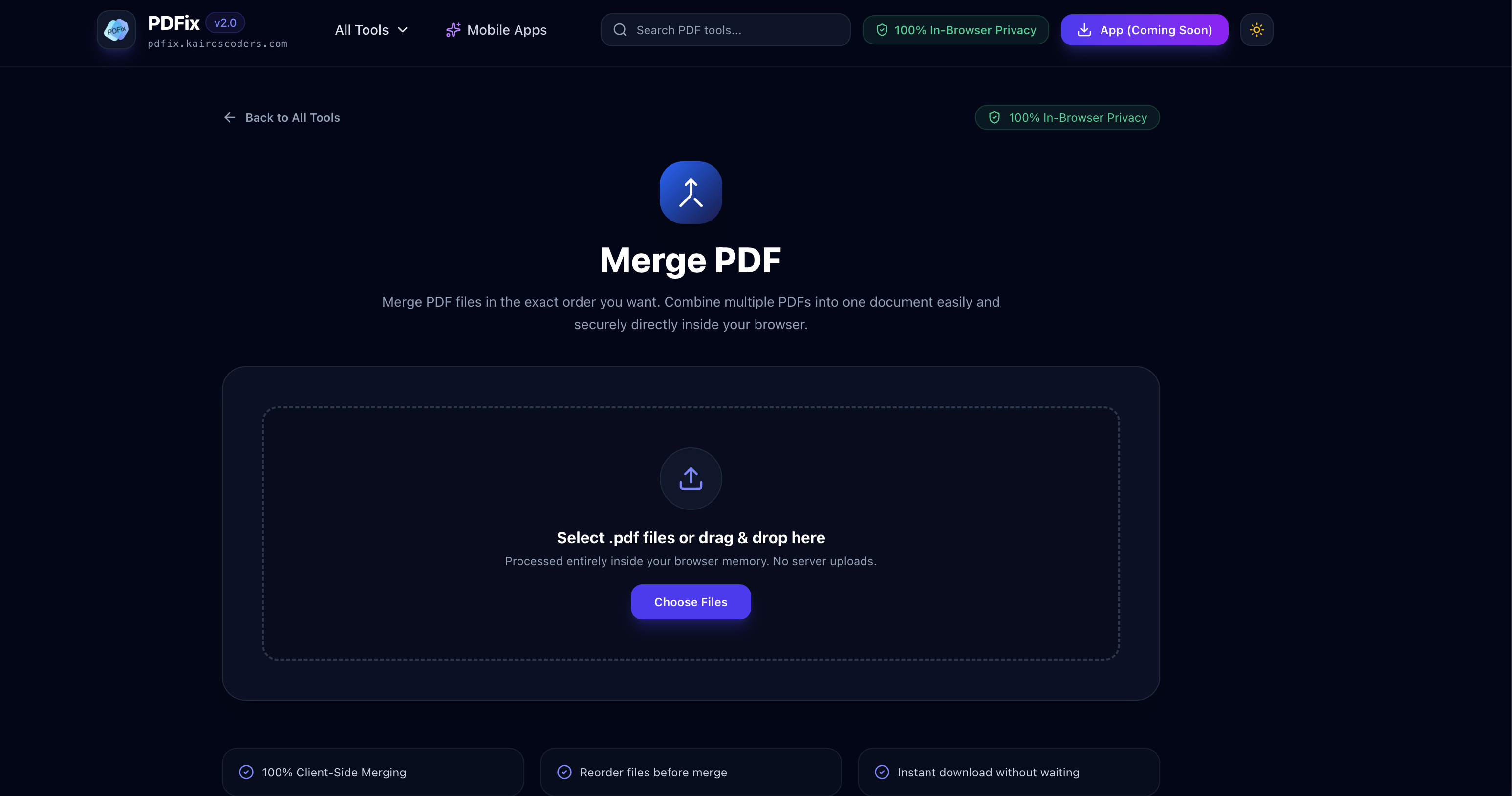
Managing multiple PDF files can quickly become frustrating. You may have separate documents for a project, individual pages of a scanned document, invoices, assignments, reports, or supporting documents that all need to be shared as one file.
Instead of keeping several PDFs separately, you can merge PDF files into a single document in just a few clicks.
If you're looking for a simple way to combine PDFs without installing complicated software, you can use the Merge PDF tool from PDFix.
Merging PDFs means combining two or more PDF documents into one PDF file.
For example, imagine you have:
Cover.pdfIntroduction.pdfChapter-1.pdfChapter-2.pdfReferences.pdfInstead of sending five separate files, you can merge them into a single document:
Complete-Report.pdf
This makes documents easier to organize, share, upload, print, and archive.
There are many situations where combining PDF files can save time.
Students and professionals often have multiple documents related to the same project. Merging them creates one organized PDF that is easier to submit or share.
If a scanner creates separate PDF files for different pages or sections, you can merge them into one complete document.
Businesses can organize invoices, receipts, purchase orders, and supporting documents into a single PDF for record keeping.
Reports may contain multiple sections stored as separate PDFs. Combining them creates a professional final document.
When submitting applications, you may need to combine a resume, cover letter, certificates, and supporting documents into one file.
Researchers and students can combine papers, notes, references, and supporting documents into a single PDF for easier access.
The process is straightforward.
Open the PDFix Merge PDF tool.
Choose the PDF documents you want to combine.
You can select multiple PDF files instead of merging them one at a time.
Make sure the documents are in the correct order.
For example:
Cover → Introduction → Main Content → Appendix → References
The order is important because it determines how the pages will appear in the final document.
Start the merge process to combine the selected documents into one PDF.
Once the files have been merged, save the resulting PDF to your device.
That's it. Your separate documents are now available as one file.
Without a PDF merger, you may need to open multiple documents and manually copy or rearrange pages.
This becomes particularly inconvenient when working with dozens of pages.
A dedicated PDF merging tool simplifies the workflow:
Multiple PDFs → Arrange → Merge → One PDF
This is especially useful when you regularly work with digital documents.
Yes. A PDF merger is designed specifically for combining multiple PDF documents into one.
For example, you might need to combine:
5 PDFs → 1 PDF
or
10 PDFs → 1 PDF
The exact number of files you can process depends on the tool and its technical limitations.
For occasional document management, an online PDF merger can be much more convenient than installing dedicated desktop software.
You should consider merging PDF files when several documents belong to the same project, submission, record, or workflow.
Some common examples include:
| Use Case | Separate Files | Final Result |
|---|---|---|
| Student assignment | Assignment + Cover + References | One submission PDF |
| Business report | Sections + Charts + Appendix | Complete report |
| Job application | Resume + Cover Letter + Certificates | Application PDF |
| Invoices | Multiple invoices | Combined invoice file |
| Research | Papers + Notes + References | Research document |
| Scanned documents | Multiple scans | Complete scanned PDF |
An online PDF merger can be useful when you don't want to install additional software.
You can access a browser-based tool directly when you need it.
Instead of manually managing multiple documents, you can combine them through a dedicated workflow.
Since PDFs are commonly exchanged through email, cloud storage, and online platforms, having a browser-based PDF utility can make document management easier.
Online PDF tools can generally be accessed through modern web browsers on computers, tablets, and smartphones.
Before creating your final document, take a few seconds to check the files.
Make sure the documents are arranged logically.
A simple mistake in ordering can make a final report confusing.
Don't include duplicate or outdated documents.
If some PDFs are landscape and others are portrait, review the final document to make sure everything looks correct.
Use a descriptive filename such as:
Project_Report_Final.pdf
instead of:
merged123.pdf
A clear filename makes the document easier to identify later.
No.
These are two different PDF operations.
Merging PDF: Combines multiple PDF files into one.
Compressing PDF: Reduces the size of a PDF file.
For example:
Merge
File 1 + File 2 + File 3 → One PDF
Compress
Large PDF → Smaller PDF
You may sometimes want to perform both operations. For example, after combining several documents into one large PDF, you may want to compress the resulting file before sending it by email.
Large projects often contain many related documents. Sending each file separately can make it harder for the recipient to understand the complete information.
A single PDF can make the document package much easier to manage.
For example, instead of sending:
report.pdfcharts.pdfappendix.pdfreferences.pdfyou can create:
complete-report.pdf
This keeps related information together and makes the document easier to share.
A PDF merger is a tool that combines multiple PDF documents into one PDF file.
Yes. Merging two PDFs is one of the most common uses of a PDF merger.
Yes. PDF merging tools can be used to combine multiple PDF documents into a single file, subject to the tool's limits.
Merging itself is not the same as compressing a PDF. A PDF merger does not inherently mean that the document needs to be compressed.
Not necessarily. Online PDF merger tools can provide a convenient alternative when you simply need to combine documents.
If the PDF merger works through a mobile-friendly browser, you can use it from a smartphone without installing desktop software.
Merging PDFs can make documents easier to organize, submit, share, print, and archive.
If you have several PDF documents that need to become one file, you don't need to manually combine their contents.
Try the PDFix Merge PDF tool to combine your PDF files into a single document.
Whether you're preparing a college assignment, organizing business documents, combining scanned pages, or creating a final report, merging PDFs can turn a collection of separate files into one organized document.
Multiple PDFs in. One organized PDF out.
Pixels to Perfection Design that Impresses